
Let's say you have a web page that presents a log in form, perhaps something like this.
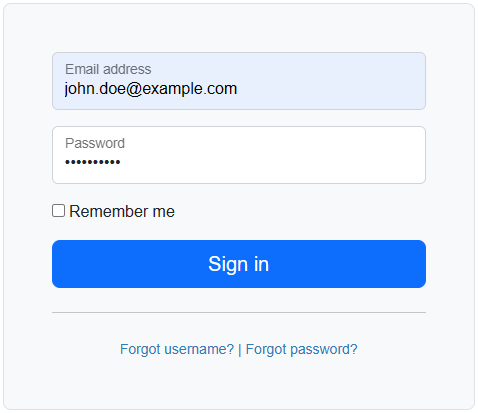
And you would like an automated way of testing the log in form. This can be done using the Node.js playwright package.
Let's say you have the following files in your GitHub repository.
├── package.json
├── tests
│   ├── my.spec.js
├── .github
│   ├── workflows (directory)
│   │   ├── playwright.yml
And let's say package.json contains the following.
{
  "dependencies": {
    "chromium": "^3.0.3",
    "@playwright/test": "^1.56.1"
  }
}
And the following in tests/my.spec.ts. By default, playwright looks for spec.ts files in the tests directory. By the way, do NOT name this file playwright.spec.ts as this filename is reserved for the playwright configuration file. This test will pass if the title of http://example.com contains Example Domain.
import { test, expect } from '@playwright/test';

test('has title', async ({ page }) => {
  await page.goto('http://www.example.com/');

  // Expect a title "to contain" a substring.
  await expect(page).toHaveTitle(/Example Domain/);
});
And the following in .github/workflows/playwright.yml which will install and configure playwright and then run the tests in your tests/my.spec.ts file.
name: Playwright Tests
on:
  workflow_dispatch:
jobs:
  tests:
    timeout-minutes: 10
    runs-on: ubuntu-latest
    steps:
    - uses: actions/checkout@v5

    - name: Setup Node.js
      uses: actions/setup-node@v5
      with:
        node-version-file: 'package.json'

    - name: Install Node.js dependencies in package.json
      run: npm install

    - name: Install Playwright
      run: npx playwright install chromium --with-deps

    - name: Run tests
      run: npx playwright test

    - uses: actions/upload-artifact@v4
      if: ${{ !cancelled() }}
      with:
        name: playwright-report
        path: playwright-report/
        retention-days: 30
df
Did you find this article helpful?
If so, consider buying me a coffee over at 