
First and foremost, it's important to understand that the PayPal SDK uses a client/server model, where the client is the frontend and the server is the backend.
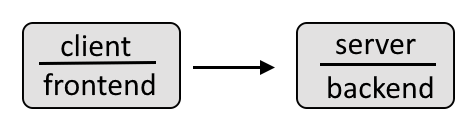
For example, the frontend client could look something like this, where the data gathered in the frontend is then passed onto and processed by the backend.
If you have not yet followed my articles on PayPal advanced integration, check out these articles first.
- PayPal advanced integration checkout using Node.js
- PayPal advanced integration checkout using Node.js on Docker
By default, the frontend should return something like this.Check out my article FreeKB - PayPal - JavaScript frontend for more details on how to create the frontend.
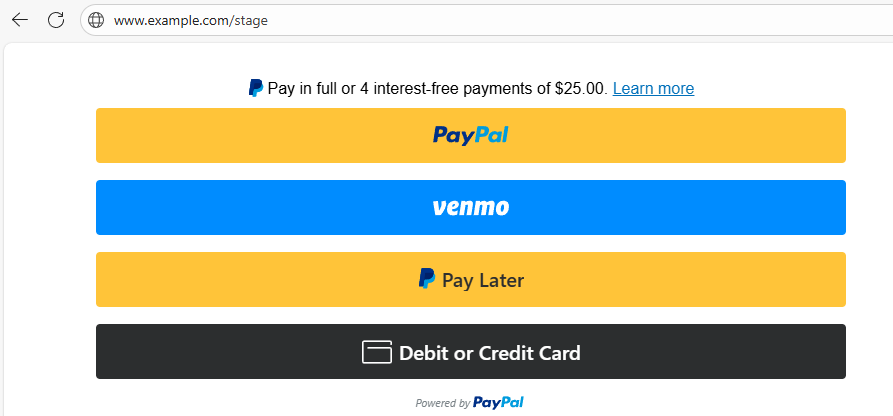
Let's say you want something like this displayed instead.
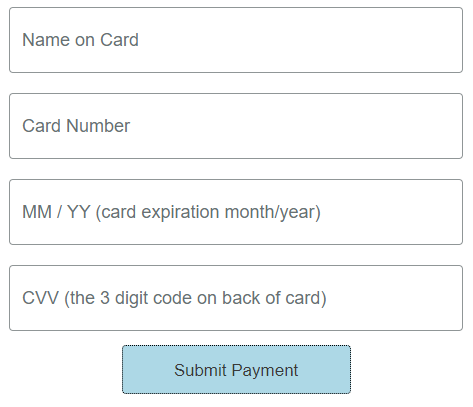
In your JavaScript frontend, you could have something like this.
window.paypal
    .Buttons({
        style: {
            shape: "rect",
            layout: "vertical",
            color: "gold",
            label: "paypal",
        }
    }
)

// the only reason this function which does nothing is needed is because window.paypal.CardFields requires the createOrder function
async function createOrderCallback() {}

const cardField = window.paypal.CardFields({createOrder: createOrderCallback})
const nameField = cardField.NameField();
const numberField = cardField.NumberField();
const cvvField = cardField.CVVField();
const expiryField = cardField.ExpiryField();

nameField.setAttribute("placeholder", "Name on Card");
numberField.setAttribute("placeholder", "Card Number");
cvvField.setAttribute("placeholder", "CVV (the 3 digit code on back of card)");
expiryField.setAttribute("placeholder", "MM / YY (card expiration month/year)");

nameField.render("#card-number-field-container");
numberField.render("#card-number-field-container");
cvvField.render("#card-cvv-field-container");
expiryField.render("#card-expiry-field-container");

function resultMessage(message) {
  const container = document.querySelector("#result-message");
  container.innerHTML = message;
}
Did you find this article helpful?
If so, consider buying me a coffee over at 